
10 ways to use AI with your databases

Catch the webinar recording from Aug 4th on YouTube

DBeaver Community

Open-source version
  • Basic support for relational databases:
    MySQL, SQL Server, Postgres and others
  • Data Editor
  • SQL Editor
  • Task management
  • Database maintenance tools
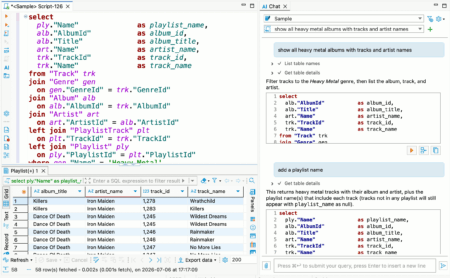
  • AI Chat & @ai command

DBeaver PRO

Commercial version
  • All DBeaver Community features
  • Advanced security
  • AI Chat & advanced AI features
  • Advanced support for relational databases
  • Connection through ODBC drivers
  • NoSQL databases support:
    MongoDB, Cassandra, Redis, CouchDB and others
  • Cloud databases support:
    Redshift, Google BigQuery, Oracle Cloud and others
  • Native support for AWS, Google Cloud, and Azure
  • Cloud storage support
  • Database development tools
  • Database performance visual tools
  • Multi-component task management
  • Task Scheduler
  • Visual Query Builder
  • Ongoing technical support

dbvr Community

Open-source version
  • Basic support for relational databases:
    MySQL, SQL Server, Postgres and others
  • Username + password auth support
  • SSH tunnels support
  • Query result export to the local disk
  • Metadata management

dbvr

Commercial version
  • Advanced security:
    master password and strong credentials encryption
  • Enterprise-level authentication methods:
    SSO, SSL, and Kerberos. SSO authentication cloud services such as GCP, AWS, and Azure
  • Secret management: AWS, Vault, CyberArk
  • Advanced SQL databases support:
    MySQL, PostgreSQL, SQL Server, Oracle and others
  • NoSQL databases support:
    MongoDB, Cassandra, Redis, CouchDB and others others
  • Cloud databases support:
    Redshift, Google BigQuery, Oracle Cloud and others
  • Amazon S3, Azure Blob Storage and GCP cloud storages support
  • Query result export to the cloud storages
  • MCP configuration to expose a database connection as an MCP server
  • Ongoing technical support

DBeaver 26.2

Changes since 26.1.5:

  • AI Assistant:
    • Added support for AI subscriptions for OpenAI
    • Added a warning about possible AI mistakes in AI Chat
    • Reorganized AI preferences
    • AI-generated SQL scripts are executed like regular scripts, with a results tab, progress tracking, and the ability to fix errors
  • SQL Editor: fixed toolbar background in the dark theme on Windows
  • Data Editor:
    • Updated the reset icon in Result set Order/Filter settings
    • Fixed an event loop exception when opening the context menu in the Calc panel
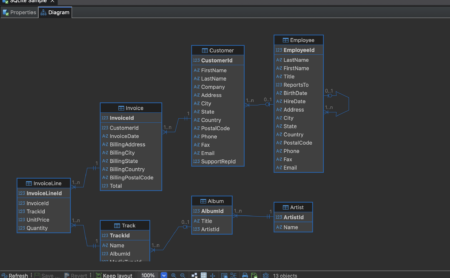
  • Diagram: fixed an issue where relationship lines were not handled correctly when manually rearranging entities
  • Data transfer: fixed keyboard navigation in the Transform settings dropdown
  • Connectivity:
    • Fixed an exception when opening connection settings for a generic driver with URL configuration
    • Fixed database logo rendering on macOS
    • Improved automatic connection name generation
    • Fixed repeated driver download prompts during connection attempts
  • Navigator: fixed Navigator background in the dark theme
  • Miscellaneous:
    • Fixed multiple issues in the dark theme: native tool presentation, Tip of the Day dialog display, toolbar background display, and others
    • Fixed profile slider scrolling on Linux
    • Updated the driver selector to show all drivers when opening the dialog
    • Fixed a widget disposed error after changing the application language
    • Removed project selector from the global Eclipse status bar
  • Databases:
    • Apache Doris: Fixed the ability to transfer data from SQLite
    • Athena: Fixed Apache Calcite Avatica driver installation
    • BigQuery: Updated the driver to version 1.2.0
    • ClickHouse: Fixed date filtering
    • Exasol: Fixed an exception when opening users
    • Flight SQL: Fixed connection errors with Flight SQL JDBC driver 19.0.0
    • MariaDB: Fixed ENUM dropdown opening in Record view and the Value panel
    • MySQL:
      • Fixed an AI response handling error
      • Fixed data export to clipboard (thanks to @EastLord)
    • Oracle: Fixed endless refresh when the References panel was open
    • PostgreSQL:
      • Fixed CSV import with bulk load enabled
      • Fixed schema switching after changing the active schema
      • Fixed incorrect search path update after changing the active schema
    • Snowflake: Fixed column ordering in Result Set Order/Filter settings

DBeaver 26.1.5

  • Product configuration:
    • Added Product configuration, a new setup flow that opens on first start
  • AI Assistant:
    • Fixed alignment of fields in the OpenAI configuration dialog (thanks to @HellAmbro)
    • Added the ability to duplicate AI profiles
    • Improved model refresh and test connection behavior for AI engine settings
  • Data Editor:
    • Added read-only HTML preview for text/html values in the Value panel (thanks to @michaaels)
    • Fixed array and complex column visualization when “Show complex column structure” was disabled
    • Fixed sorting in the Metadata panel (thanks to @gsastraw)
    • Restored support for CSS color names in spatial data colorization
    • Fixed spatial data display with map backgrounds and locales that use decimal commas
  • Data Transfer:
    • Fixed an issue on Linux when export error dialogs could be hidden behind the export window (thanks to @JackyLin0123)
    • Fixed column enablement in table mapping when using the Space key (thanks to @EastLord)
    • Fixed an issue where saved import tasks could lose target table and column mapping settings after an update
  • Connectivity:
    • Added support for custom authentication models in Custom CSV/XML connection import (thanks to @weih-kahoot)
    • Fixed browser-based authentication on Linux systems where the default browse action is not supported
    • Fixed connection color updates when changing the connection type in connection settings
    • Added database and driver version information to diagnostic log archives
  • Navigator:
    • Hid the Delete context menu item when metadata changes are disabled in Simple view mode (thanks to @MilosM348)
    • Fixed an issue where the database Navigator did not open correctly
  • New Drivers:
    • GreptimeDB: Added a dedicated driver entry using the MySQL-compatible protocol (thanks to @EastLord)
  • Databases:
    • ClickHouse:
      • Added support for displaying Map values in the Data Editor
      • Fixed DDL generation for views that do not contain a table-style column declaration block (thanks to @SEPURI-SAI-KRISHNA)
    • Databricks: Improved display of ARRAY and STRUCT values by showing complex arrays as JSON
    • Firebird: Fixed SSH tunnel testing when required database connection parameters were not set
    • MonetDB: Updated the default JDBC driver class name to restore driver loading (thanks to @scorpion3399)
    • MySQL: Fixed native database dumps when passwords contain # or other special characters (thanks to @sakshichitnis27)
    • Netezza: Fixed NCHAR length generation in DDL and improved recognition of NCHAR and NVARCHAR data types (thanks to @KrzysztofDusko)
    • PostgreSQL:
      • Fixed an issue where the selected schema could be lost after a query error in manual commit mode
      • Fixed backup and restore behavior that could omit tables during restore
      • Fixed generated calls for functions that return composite types (thanks to @HellAmbro)
    • StarRocks and Apache Doris: Preserved raw SHOW CREATE DDL output without applying additional formatting (thanks to @dupen01)
    • TDengine: Fixed unresolved Maven dependency warnings in the built-in driver configuration (thanks to @EastLord)
    • LibSQL: Added support for database views

Recent News

Keep up with DBeaver

Subscribe to our news and get the list of the most useful shortcuts in DBeaver.


Explore the DBeaver blog for practical tips and product news.

License

DBeaver Community Edition is free and open source (ASL) product.
Just download and start using it.